Autonomous Sentinels.
Zero Paging Tricks. Honest Licensing.
RamReaper finds what is actually holding your system memory—from runaway headless runtimes to leaking kernel pool tags—and ends the actual culprit.

 01. The Crew at a Glance · Handled by The Whole Crew
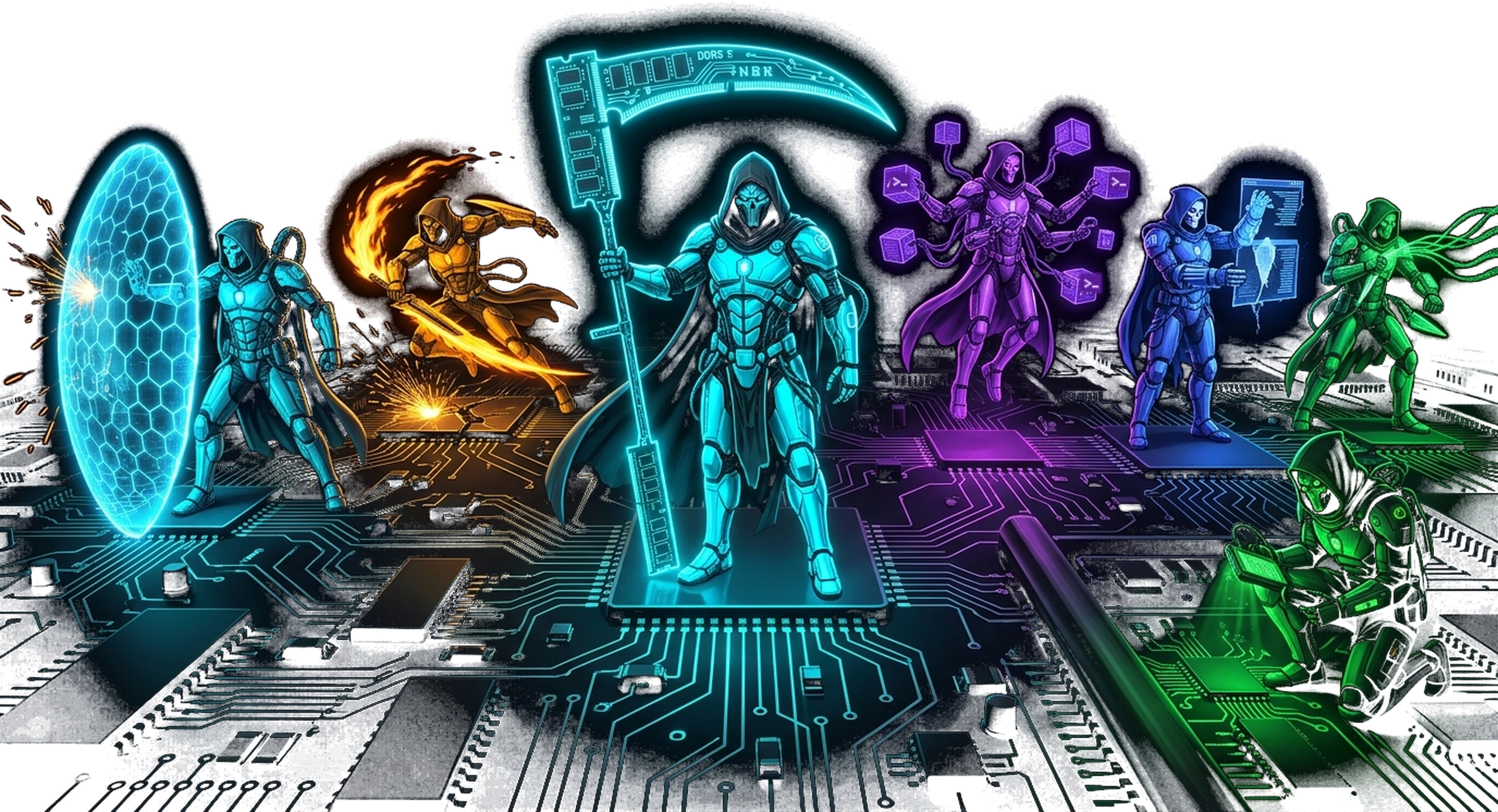
Seven Dedicated Sentinels. One Unified Engine.
Every sentinel addresses one specific Windows slowdown condition. Scans run on-demand in RamReaper Free; automated 24/7 background interception runs in RamReaper Crew.
The Sentinel
Orphaned processes when an IDE/terminal dies, dead dev servers, and stale shells (dead PowerShell/cmd), never touching shells with running jobs.
The Interceptor
Frees localhost ports held by dead dev servers (:3000, :5173, :8000, :8080, :8188, :11434) using native iphlpapi.dll tables.
The Spectre
Unloads idle Ollama models from VRAM after 45m of inactivity and enforces disk quotas on Hugging Face, PyTorch, and pip caches.
The Resurrector
Refresh desktop (instant DirectX reset, Explorer/DWM restart) and Ghost Window Finder for 0-alpha input blockers.
The Commit Hunter
Tracks PSAPI private commit expansion rates. Catches processes expanding faster than +150 MB/min before swap thrashing hits.
The Kernel Warden
Nonpaged pool tag inspection (NtQuerySystemInformation). Pins down leaking third-party drivers (like AsIO3.sys) with precise forensic telemetry.
The Night Watchman
3:00 AM locked-workstation deep cleaner. Scans when PC is locked & idle >30m, sweeping orphaned compiler artifacts, stale Docker layers, and driver pool leaks.
 02. Kernel Leak Detector · Handled by The Kernel Warden
Task Manager can't see it.
RamReaper can.
When Windows RAM climbs to 99% with all process rows showing normal usage, the culprit lives inside the Windows kernel nonpaged pool. Task Manager hides nonpaged pool tags completely.
RamReaper reads kernel pool tag telemetry directly from user space using native Win32 NtQuerySystemInformation (class 22)—without installing any driver. It extracts tag allocations, matches the tag bytes against active third-party driver binaries, names the exact vendor (e.g. ASUS AsIO3.sys), logs the original startup configuration, and offers a safe start-type disable option with forensic audit records.

 03. Transparency · Handled by The Crew
Why It Was Flagged: Zero Mystery Kills.
RamReaper never terminates software blindly. Every notification, prompt, and log entry provides the exact forensic reason:
Orphaned Child Process
Parent editor (Code.exe / Cursor.exe) terminated or crashed; child server remains running headless in background.
Abandoned Dev Server
Zero CPU utilization (<0.05%) and zero established TCP connections for over 45 consecutive minutes.
Runaway Private Commit
Unchecked heap growth detected by PSAPI deltas while workstation is idle, indicating an unhandled memory leak.
Trapped Port Socket
Socket held on development port (:3000, :5173, :8188) with no active clients, blocking subsequent launches.
 04. Rigid Safety Guard Rails · Handled by The Crew
What RamReaper Will Never Touch.
Designed specifically for software engineers and power users who cannot afford broken state or sudden crash resets:
- ✓ Windows Core Components: Hardware-locked whitelist for
csrss.exe,lsass.exe,smss.exe, and critical shell services. - ✓ Active Shells with Running Jobs: PowerShell or cmd terminals running compilers, active agents, or background tasks are immune.
- ✓ Custom User Whitelist & Ignore: Single-click bypass for any process, folder, or service.
- ✓ Microsoft & Boot Drivers: Kernel driver protection blocks any modification to Windows system or storage drivers.
- ✓ Safe Configuration Backups: Logs and preserves original driver startup types before any modification; verified rollback instructions provided.

 05. Real-Time Telemetry · Handled by The Sentinel
Memory History & Growth Curve Graphs.
View private commit, kernel nonpaged pool tags, and DWM composition heap trends across the last several hours. Spot slow, creeping leaks long before your system stutters.
 06. Activity Audit Log · Handled by The Commit Hunter
Persistent History & Audit Trail.
Every process reaped, port unlocked, graphics stack reset, or driver startup type changed is recorded in a local SQLite audit database.
Review exact timestamps, process lineages, command lines, memory reclaimed, and trigger instant 1-click reversals where applicable.
 07. Port & Socket Sentry · Handled by The Interceptor
EADDRINUSE :3000?
Not anymore.
When Node, Bun, Vite, Python or ComfyUI crash or exit uncleanly, they often leave orphan TCP listeners holding your favorite development ports (3000, 5173, 8000, 8080, 8188, 11434).
Port Sentry inspects the Win32 iphlpapi.dll TCP socket table, identifies headless listeners with zero established connections, and releases the trapped port in one click so you never have to reboot to restart your dev server.

 08. AI Workstation Curation · Handled by The Spectre
Ollama VRAM Unload & Cache Quota Guard.
Designed for local AI engineers using Ollama, Hugging Face, PyTorch, and ComfyUI:
- ✓ Ollama VRAM Unload: When Ollama models sit idle for over 45 minutes, RamReaper calls Ollama's local API to unload model weights, immediately restoring 6 GB to 24 GB of GPU VRAM.
- ✓ Dev Cache Guard: Enforces hard disk quotas on
~/.cache/huggingface, PyTorch wheels, and npm/pip caches so your NVMe drive never hits 99% capacity. - ✓ ComfyUI Worker Cleanser: Detects and reaps orphaned PyTorch worker processes after terminal disconnects.
 09. Shell Mechanic · Handled by The Resurrector
Refresh Desktop: Back in Seconds Without a Reboot.
Desktop stuttering, sluggish multi-monitor docking, or taskbar unresponsive after hours of heavy GPU workload?
Right-click the RamReaper tray icon and click Refresh desktop. It triggers a native DirectX graphics reset first, then soft-restarts Explorer and DWM only if GDI handle thresholds are exceeded. Your screen flickers once and returns in seconds—with all open editors and documents preserved.
 10. Ghost Window Finder · Handled by The Resurrector
Destroy Invisible Click Blockers.
Ever clicked on your IDE or browser only to find your mouse hitting an invisible wall that refuses focus? A crashed tray app or transparent overlay has left an invisible window trapped in your z-order. Point the Ghost Window crosshair at the dead spot to reveal the owner PID and terminate it immediately.
11. Stale Shell Cleanup · Handled by The ResurrectorClean Dead Terminals from Closed IDEs.
Modern IDEs frequently orphan background powershell.exe, cmd.exe, and conhost.exe instances when tabs close. The Resurrector safely terminates dead shells while verifying that shells running background agent jobs or scripts are never disturbed.
 12. Night Shift · Handled by The Night Watchman
3:00 AM Deep Clean While Your PC Is Locked.
Available in RamReaper Crew. Night Shift activates only when your workstation is locked and idle overnight. It sweeps stale %TEMP% compiler artifacts, cleans orphaned Docker layers, audits kernel pool growth rates, and optimizes memory buffers so your PC is fresh every morning.
- ✓ Locked & Idle Trigger: Activates only when your PC is locked with zero user activity for over 30 minutes.
- ✓ Compiler Artifact Scrubber: Prunes stale temporary objects left behind by rustc, clang, and npm.
- ✓ Morning Report: Leaves an unobtrusive system tray digest showing memory reclaimed overnight.
 13. Built for Developers · Handled by The Crew
CLI Diagnostics, JSON Output, & Global Hotkeys.
Integrate RamReaper into your developer toolchain with scriptable commands:
Terminal-based scanner reporting orphaned child PIDs, trapped TCP ports, and kernel nonpaged pool tag rankings.
$ ramreaper scan --orphans
[!] Found: python.exe (PID 9412) parent dead
[!] Port 5173 held by node.exe (0 sockets)
Autonomous sweep command with structured JSON output for integration into CI/CD build scripts and PowerShell automation.
$ ramreaper sweep --json
{"reaped_mb": 4210, "ports_freed": [3000]}
Trigger an instant sweep or open the tray HUD anywhere using Ctrl + Alt + Shift + R (fully rebindable).
Config stored in %APPDATA%\RamReaper\config.json
14. 100% Offline · Zero Telemetry · Handled by The CrewZero Telemetry. Zero Network Calls.
RamReaper makes exactly zero network connections. No tracking scripts, no telemetry pings, no cloud logins. License keys are cryptographically validated offline using local Ed25519 digital signatures.
15. Native Win32 Requirements · Handled by The CrewLightweight Rust Binary. Clean Uninstall.
Works on Windows 10 & 11 (64-bit). Runs as a native 1.2 MB Rust executable with zero Electron or runtime bloat. Administrator elevation is required only for kernel pool tag inspection and driver start-type modification. Clean uninstaller leaves zero orphaned registry residue.
Cryptographic Independence · Handled by The CrewZero Account Creation. Pure Offline License.
Your hardware stays air-gapped. Ed25519 cryptographic key signature verification runs entirely inside local RAM.
 16. Competitive Analysis · Handled by The Crew
Honest Comparison With Industry Utilities.
Verified, dated facts (checked 31 Oct 2026). RamReaper is designed for a fundamentally different task: rather than forcing memory paging to cosmetically lower Task Manager figures, it finds and terminates the actual rogue culprits holding your RAM.
| Capability / Approach | RamReaper | Process Lasso | Mem Reduct | MS PC Manager | RAMMap + poolmon |
|---|---|---|---|---|---|
| Core Mechanism | Ends actual leak culprits & orphans with your OK | CPU priority, core affinity & process rules | Forces Windows working-set paging to disk | Trims temp caches & working sets | Read-only manual diagnostic analysis |
| Kernel Pool Tag Leak Scan | ✓ Yes (Names leaking .sys driver from user space) | ✗ No | ✗ No | ✗ No | ✓ Diagnostic only (expert manual CLI) |
| Orphan Process Hunter (Dead Parent PID) | ✓ Yes (Win32 Toolhelp32 audit) | Manual rule creation required | ✗ No | ✗ No | ✗ No |
| Port Sentry (EADDRINUSE 3000/5173) | ✓ Yes (Win32 iphlpapi.dll table) | ✗ No | ✗ No | ✗ No | ✗ No |
| Causes Working-Set Stutter | ✗ No (Never touches paging) | ✗ No | Frequent (forces app paging thrashing) | Frequent (trims active sets) | N/A (Read-only analysis) |
| AI & Dev Cache Guard | ✓ Yes (Ollama VRAM unload, HF/Torch quotas) | ✗ No | ✗ No | Temp file clean only | ✗ No |
| Telemetry & Offline Operation | 100% Offline (Zero pings, Ed25519 offline auth) | Minimal update checks | 100% Offline (Open source) | Microsoft diagnostic telemetry | 100% Offline (Microsoft Sysinternals) |
| Measured Binary Size | 1.2 MB installer | ~15 MB | ~1.5 MB | ~50+ MB | ~3 MB |
Engineering Teardown · Handled by The CrewWhy “RAM cleaners” are snake oil.
Forcing your apps into the pagefile so Task Manager shows a smaller number is snake oil. It looks great for ten seconds, then everything stutters while Windows pulls pages back off your drive. RamReaper doesn't touch paging. It finds what is actually holding your memory (a dead dev server, an orphaned Python process, a leaking driver) and lets you end it cleanly.
| Criteria | Typical RAM cleaner | Task Manager | RamReaper |
|---|---|---|---|
| How it frees memory | Pages your apps out to disk | Manual End task | Ends the actual culprit, with your OK |
| Finds orphaned dev servers / runtimes | No | No | Dead parent + open port check |
| Spots a leak while it grows | No | No | Growth rate per process (MB/min) |
| Finds kernel driver leaks | No | No (invisible there) | Pool tag scan, names the driver |
| Cleans AI / dev caches | No | No | Hugging Face, Torch, pip, temp: you choose |
| Causes stutter afterwards | Often | No | No |
| Works offline, no telemetry | Varies | Yes | Yes, no network calls |
| Idle footprint | Varies | Built into Windows | 1.2 MB installer |
Lives in Your Tray · Handled by The CrewQuiet until something misbehaves.
RamReaper sits quietly in the Windows notification area next to your network and volume icons. It never appears in Alt-Tab. Open the panel when you want it; close it and the window vanishes, leaving only the small background sentinels watching for rogue processes.
Alerts you can act on
When a process is orphaned for 45 minutes or its private commit keeps expanding, a Windows notification tells you what it is and why, with clear Reap and Ignore buttons.
Refresh desktop
Desktop lagging after docking or long multi-monitor sessions? Right-click the tray icon > Refresh desktop to issue a DirectX graphics reset and restart the shell in seconds without a full reboot.
RamReaper Sentry Alert
Holding 6.68 GB unshared commit with dead parent PID (cmd.exe #4102).
Pay once. Own it forever.
No subscription, no account, no phone-home. The free version is the whole tool; Crew makes it run itself.

RAMREAPER · FREE
Everything you need to find and fix a slowdown yourself.
- ✓ Unlimited scans: processes, orphaned runtimes, open ports
- ✓ Kernel Leak Detector scan: finds the leaking driver (the AsIO3.sys story)
- ✓ One-click reap of a process or a whole process tree
- ✓ Refresh desktop (graphics reset, Explorer / DWM)
- ✓ Ghost window finder
- ✓ Temp file clean-up
- ✓ Tray icon with a live memory gauge

RAMREAPER · CREW
The crew watches your machine so you don't have to.
- ✓ Everything in Free
- ✓ All reapers running automatically in the background
- ✓ Alerts the moment a leak starts climbing, kernel leaks included
- ✓ Auto-reap idle dev servers and AI runtimes you've approved
- ✓ Cache guard for Hugging Face, PyTorch and pip, with your limit
- ✓ Night Shift: scheduled deep clean while you're away
- ✓ Global hotkey Ctrl+Alt+Shift+R and command line
ramreaper sweep - ✓ Offline license key, up to 3 of your PCs
Frequently Asked Questions · Handled by The CrewAnswers for Engineers & Power Users.
csrss.exe, lsass.exe, etc.) are protected by hardcoded guard rails, and shells with active jobs are never reaped.